5e Character Sheets
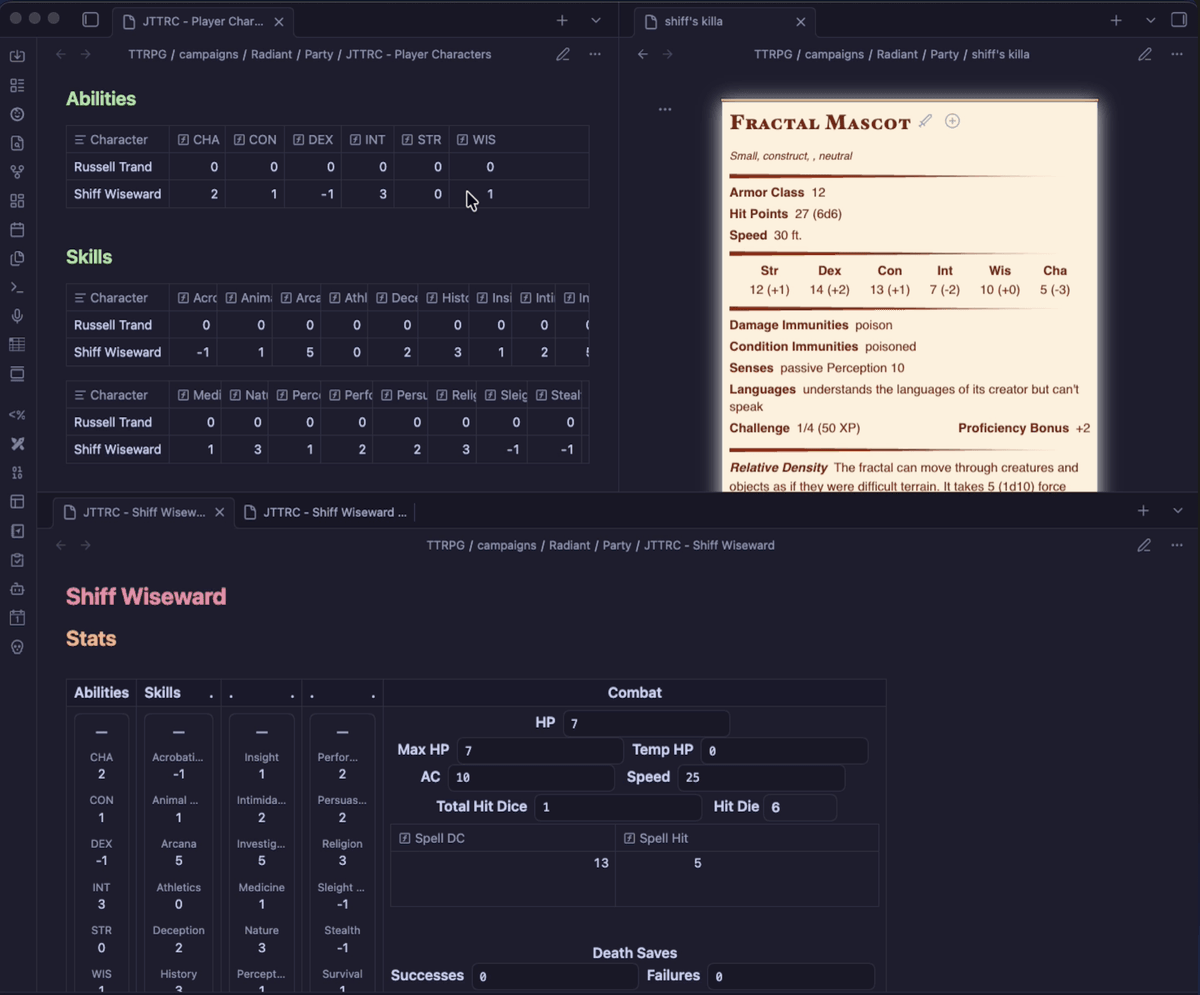
Overview
I keep my campaign notes in Obsidian, but maintaining character stats there can get tedious fast. Every level-up means hand-editing a dozen numbers that all trace back to a handful of base values. So I spent a couple of weekends building these templates (lowercase t, for the Obsidian aficionados[1]) around a single idea: you should only enter values that can't be derived.
Ability scores, proficiency bonus, class, level. Everything downstream like modifiers, saving throws, skill bonuses will recalculate on their own.
This isn't a complete character builder and there might be some logic I've gotten wrong; I don't play 5e often enough to have the math internalized. But every file is plain markdown and YAML, so anything I've broken, you can fix. And maybe submit a PR for the project.
Installation
Prerequisites
- Install Obsidian
- Install the Meta Bind plugin
- Install the JS Engine plugin
- Under Meta Bind's settings, enable Javascript (as handled by the JS Engine plugin)
Source
The project lives on GitHub. The repo includes:
- a
README.mdcovering where the template files live and how to install them into your vault - instructions for building and installing the templates yourself, if you plan on heavy tweaks (and, ideally, a PR)
- prior versions of the templates
Video
There's also a video walkthrough if you'd rather watch than read. The editing is rough but I wanted something out there along with the files.
Usage
Setup.md contains a macro that clones the template files into a folder for a new campaign. That gives you three kinds of file:
- Dashboards — markdown files with tables and links for at-a-glance reference
- a party dashboard showing basic combat stats for everyone
- a dashboard per character, linking out to history and identity notes
- Player character info — the files that hold the actual data the dashboards pull from
- Notes files: where you enter stats, plus placeholders for backstory and other purple prose
- Data files: frontmatter only, treated like a record in a database
- Bases — Obsidian bases that collate the data files and compute dependent stats with embedded formulas
Once the campaign folder exists, open <Campaign> - Instructions.md and use the macro button there to create a character. Then click Stats on that character's dashboard and start filling in numbers.
How you pull these up mid-session is your business. I've deliberately kept the system barebones so it can slot into whatever note-taking and GMing style you already have.
Obsidian D&D References
For further inspiration on using Obsidian for D&D notes, I recommend:
- PhD 20's Obsidian Writeup
- The Obsidian D&D 5e Wiki for tips, tricks and plugins like the statblocks shown in the screenshot above.
- Sly Flourish's Notes on Lazy DM Prep if you're like me and trying to K.I.S.S.
Templates, with a capital T, in Obsidian refer to specifically formatted notes for the popular Templater plugin: https://community.obsidian.md/plugins/templater-obsidian ↩︎